
From curious to confident: our AI workshop for small businesses
Mole Valley Chamber’s AI workshop at Fetcham Park House sent members home with practical skills, a few myths busted and a real appetite to try AI on their own work.
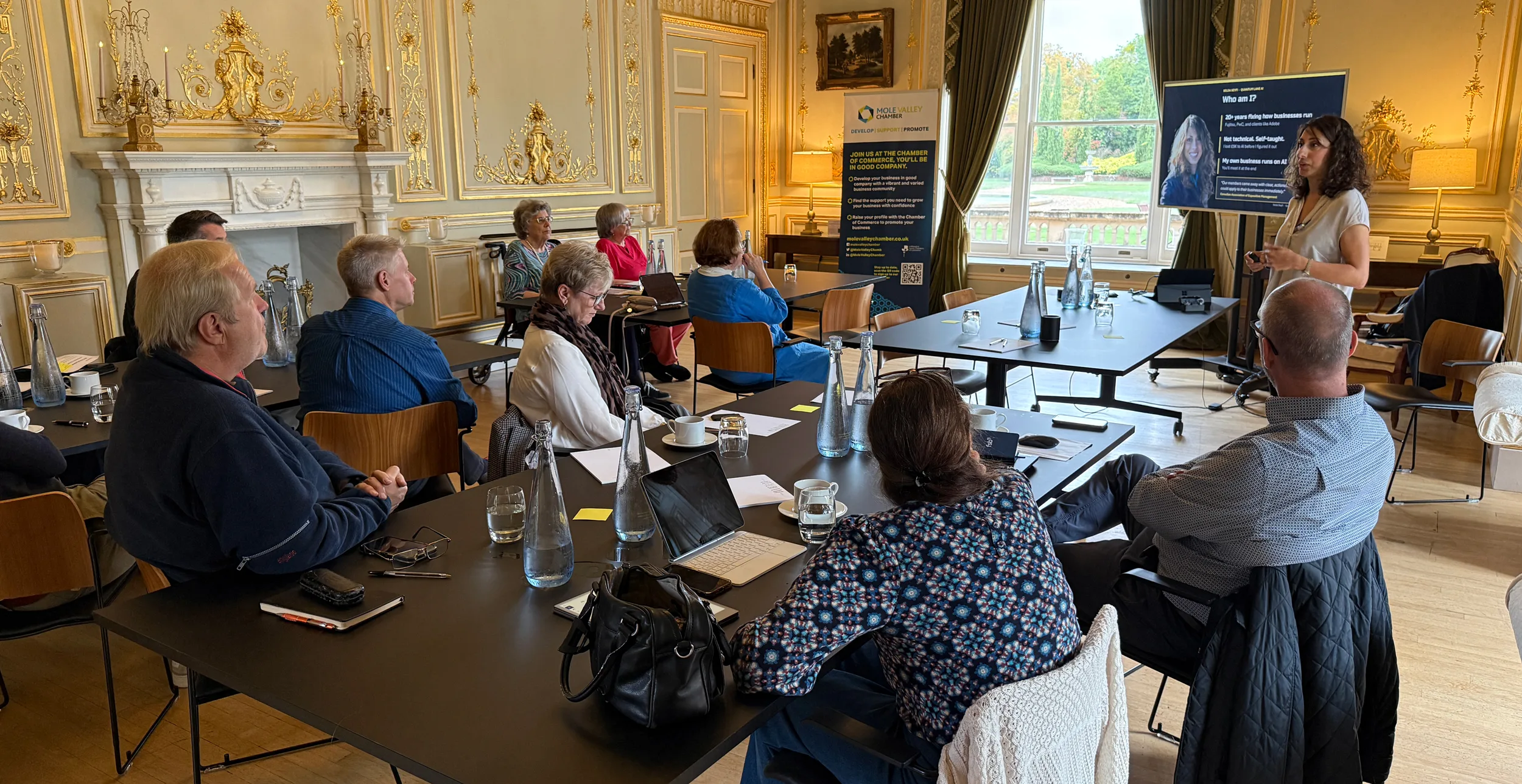
Today, Tuesday 13 October, Mole Valley Chamber of Commerce welcomed members and guests to Fetcham Park House in Leatherhead for our AI workshop for small businesses, a hands-on morning titled How to use AI to make your business easier. Our guide was Selda Seyfi, founder of Quantum Lane AI, who has spent more than 20 years fixing how businesses run at organisations including Fujitsu and PwC, with clients such as Adobe.
What made Selda so easy to learn from was her honesty. She told the room she is not technical and is entirely self-taught, and that she lost £9,000 on AI before she worked out how to use it properly. Today her own business runs on it. That mix of candour and experience set the tone for the morning: no jargon, no hype, and plenty of permission to ask the questions people had been afraid to ask.
As guests arrived, they wrote three post-it notes: how comfortable they felt using AI at work, which task they would happily never do again, and what they had been too afraid to ask. The answers went on a wall and shaped the conversation throughout. The ground rules were simple: try everything, put questions on the wall, and no client names go into AI today.
AI for small businesses, in plain English
Selda began by taking the mystery out of AI. It has been around since 1956. What changed in 2022 is that anyone can now use it simply by typing in plain English, through tools such as ChatGPT, Claude and Gemini.
She also explained what these tools are actually doing. They do not look answers up the way Google does. They predict the next word, one at a time, having read more text than any person ever could. That is why their answers are usually very good, and also why they can sound completely sure of themselves and still be wrong.
Where to start? If your business uses Microsoft 365, try Copilot. If you use Google Workspace, try Gemini. Otherwise, start with ChatGPT or Claude. Free plans are fine to begin with, personal plans cost about £18 to £20 a month, and business plans are the ones to use before any customer data goes in.
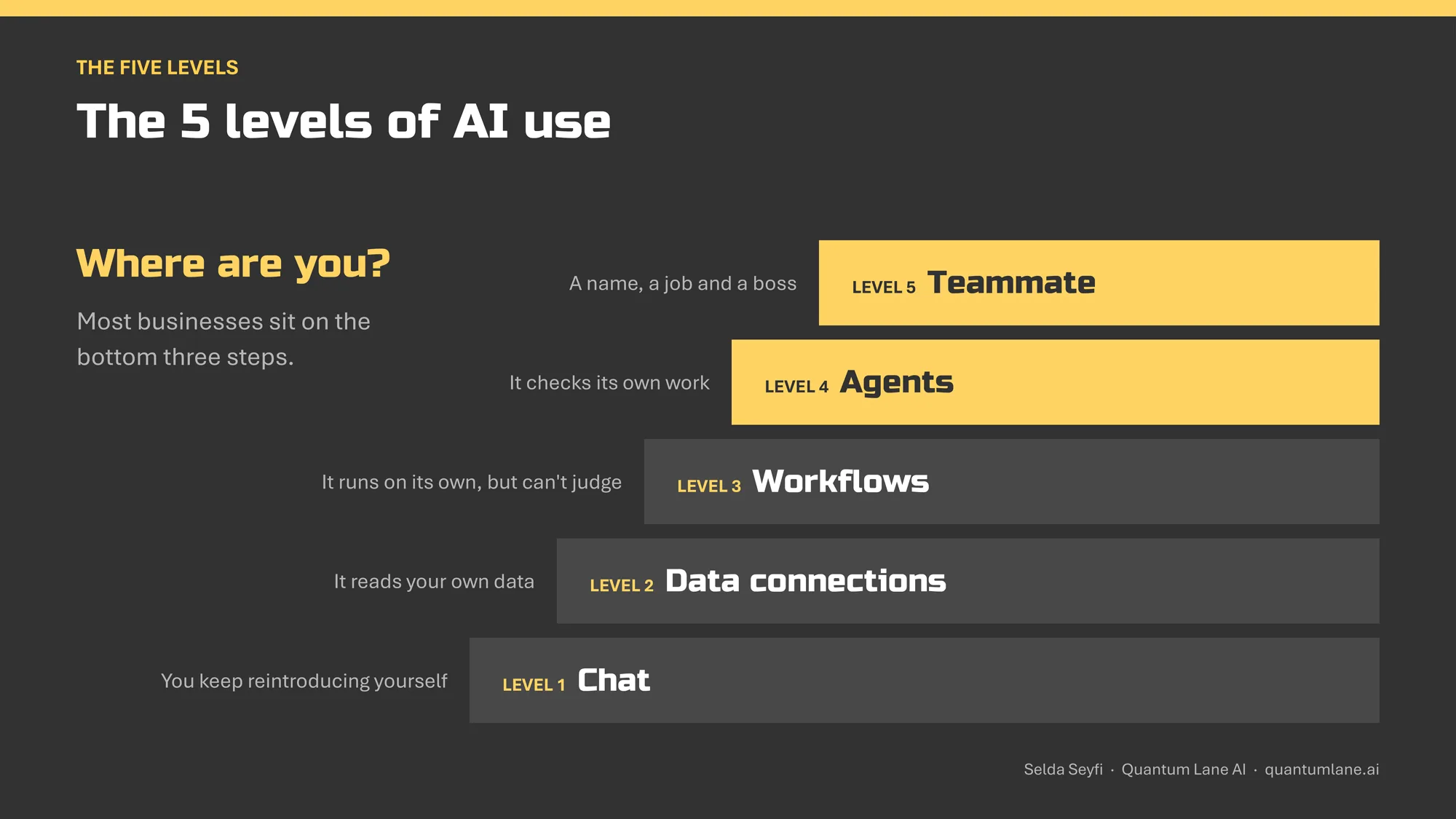
Selda then introduced the five levels of AI use, a staircase that came up again and again during the morning:
- Chat: you keep reintroducing yourself every time.
- Data connections: the AI can read your own data.
- Workflows: it runs on its own, but can’t use judgement.
- Agents: it checks its own work.
- Teammate: it has a name, a job and a boss.
Staying safe
Many of the questions on the wall were about safety, so Selda tackled them head on. Her honest answer was that safety depends more on the account you use than on the AI itself. Personal plans, even paid ones, may learn from your chats unless you go into the settings and switch training off yourself. Business plans don’t train on your data. As she put it, “if you’re not paying for it, you are the product.”
She left everyone with five habits that keep you safe:
- Customer data? Use a business plan.
- Switch off training on personal accounts.
- Take names out before you paste.
- Check every fact before you send.
- AI can fake voices, so ring back on a number you trust before you pay anyone.
The biggest risk today, she said, is AI making a decision you didn’t ask for. So never let it send anything without checking it first.
Six questions, a few myths busted
A quick hands-up quiz brought some of the biggest ideas to life. Why does AI write such generic proposals? Not because it isn’t good enough, but because it has never met your business. What decides whether AI will work for you? Not your industry, but how much of your work repeats. Selda said she has never found a business where the answer was nothing.
The fastest way to understand AI? Use it on one real job this week. “You didn’t learn accounting software before you hired an accountant,” she reminded us.
The last question was a trick: is a struggling business or a growing one the better candidate for AI? The answer was both, because AI does two different jobs. It can cut costs by taking away the repetitive work that leaks money out of a business. And it can help a business grow by doing work that would otherwise need more people.
A prompt is a brief
After the break came the heart of the workshop. Selda opened with some real-life howlers, including an AI that suggested adding glue to pizza sauce to stop the cheese sliding off. What you put in decides what you get out.
In pairs, everyone typed the same quick request into their AI of choice: Write a follow-up email to someone I met at a networking event. The results were polite but bland, and full of square brackets to fill in. Different tables counted anything from three to ten. Nobody felt it sounded like them.
Selda quoted Andrej Karpathy, OpenAI co-founder: “The hottest new programming language is English.” She then shared the framework she uses for every prompt, remembered with the slightly silly phrase Robots Teach Small Cats Every Night:
- Role: who the AI should be. One sentence sets the tone.
- Task: one clear line, starting with a verb, that describes the finished result and what good looks like.
- Specifics: the must-haves and limits, and why the task matters.
- Context: the background and the situation you’re in.
- Examples: three to five examples of what good looks like, still one of the strongest tools you have.
- Notes: your final reminders at the very end, because AI pays most attention to the start and end of a long prompt.
Selda brought each step up to date with current research: describe the result you want rather than the steps, and say why it matters, because emotional pressure no longer helps. Her advanced tips were to ask the AI to check its draft against your checklist, ask the same question more than once, and end with “if anything important is missing, ask me first”.
The pairs then rewrote their email using the framework, and the difference was obvious. One attendee told the AI her style was simple and succinct, and said she wouldn’t change a word of the result. Another table found that the Notes line made the biggest difference: it turned a vague “shall we meet for coffee?” into a specific offer of two mornings.
Some pointed out, fairly, that writing the brief took as long as writing the email. Selda’s answer: time spent on the brief saves you more in editing afterwards, and once your AI knows your business well, a quick spoken request is enough.
Enhance, eliminate, expand
Next, Selda showed that AI does far more than write emails. She described three ways it can help a business:
- Enhance: make what already works, such as your best-selling service, better, slicker and faster.
- Eliminate: take the repetitive, manual admin off your plate.
- Expand: create new services and new revenue for your clients.
Each table took one of these and a real business from someone at the table. They briefed the AI, argued over its ideas, picked their top three and asked for the first step they could take on Monday. AI’s job, Selda said, is to throw in ideas you’d never have thought of. Your job is to decide which are any good.
The report-back showed how quickly this pays off. The expand table worked on a children’s author’s business and came away with a phased three-month plan, including indicative pricing for licensing her work: an idea they had sensed but hadn’t known how to take forward. The eliminate table, looking at a business that manages, stores, sells and transports cars for its clients, focused on chasing invoices and protecting cash flow. The enhance table worked with a part-time finance director, and their favourite idea was a jargon-free, one-page “what does this mean for you?” explainer for each client.
Selda had two pieces of advice for anyone who felt the ideas were a little obvious. First, push back. Tell the AI you’ve already thought of those, and ask what people in other industries do. Second, give it context. In the exercise, the AI knew almost nothing about each business. Give it your strategy, clients, products and plans, and the ideas become far richer.
She also had a message for the creative industries. If AI feels like it’s moving into your market, use it to expand what you offer. She told the story of a designer who had used AI to build a WordPress plugin his clients kept asking for, something he now sells as a brand-new service.
Meet Vega: a business that runs on AI
The final section showed what is possible at the top of the staircase. Selda introduced Vega, the AI system that runs her own business. It connects her finances, meetings, emails, audience and research in one “brain”, so nothing gets lost.
In practice, Vega works as her sales assistant, marketing team and executive assistant. It researches prospects before meetings, writes and prices proposals, raises invoices and chases payment. It interviews her each Friday and turns her real stories into a week of LinkedIn posts in her own voice. It texts her a brief every morning at 9.15 with the numbers from the last 24 hours, and nudges her when a follow-up is overdue. It even built the slides she presented today. Crucially, nothing sends itself: Selda always presses send.
The numbers were striking. When she set Vega up in March, AI was doing some or all of the work on 6% of her recurring tasks. Today it is 65%. Done by UK freelancers at deliberately modest rates, the same work would cost around £3,675 a month, or about £44,100 a year, before anyone had been found, briefed or managed. Her own AI subscription costs about £90 a month.
It didn’t happen overnight. Selda’s advice was to spend just an hour a week building out what your AI can do. Small, steady improvements add up, and “in an hour a week you could have a fundamentally different business”.
Questions from the wall
The questions on the wall were tackled with the same honesty. Will AI put people out of work? Yes, Selda said, and it is already happening. But new jobs are appearing that didn’t exist two years ago, and people will adapt as they always have. “If I can completely pivot into this,” she said, “I’m pretty sure everyone else can too.” Her advice for anyone short on time: invite AI into whatever task you’re already doing, and ask what it can take off your plate.
AI for small businesses: frequently asked questions
It depends on the account you use. Business plans don’t train on your data and come with the data protection contract UK GDPR expects. On personal plans, even paid ones, switch training off in the settings and take names out before you paste anything in.
If your business uses Microsoft 365, try Copilot. If you use Google Workspace, try Gemini. If you use neither, start with ChatGPT or Claude. The free versions are fine for getting started.
Treat it like a brief. Remember “Robots Teach Small Cats Every Night”: give the AI a Role, a clear Task, the Specifics, the Context, a few Examples of what good looks like, and your final Notes at the end.
No. Selda Seyfi is self-taught and not a developer, yet her business now runs on AI. The fastest way to learn is to start small and use AI on one real job this week.
Less than you might think. Selda recommends spending about an hour a week building out what your AI can do. Using that approach, AI went from helping with 6% of her recurring tasks in March to 65% today.
Bringing it back to your business
Going away and trying it
Before we finished, everyone took five quiet minutes to fill in a reflection card with three prompts: one task I’ll test this week, one tool I’ll try, and one person I’ll tell. As Selda said, you only really learn something when you teach it to someone else.
That sums up the morning. People arrived curious, some a little wary, and left with a clear picture of what AI is and isn’t, simple safety habits, a framework for briefing it well, real ideas for their own businesses and, above all, the confidence to go and try. As one attendee put it, the “shadow” she had felt hanging over AI had lifted.
A huge thank you to Selda Seyfi and Quantum Lane AI for such a generous, knowledgeable and inspiring session, and to everyone who came along and joined in so wholeheartedly.
If you’d like to keep going, Selda has put together a free Your First 7 Days with AI guide, with the prompts, a safety checklist and a seven-day plan, delivered by email. She is also offering a complimentary 30-minute AI strategy call for anyone with a task they would love to hand over. You can find both at quantumlane.ai.
CHECKOUT MOLE VALLEY CHAMBER EVENTS HERE
Are you a local business in the Mole Valley District and interested in joining the chamber? Find out more here.